Marco Polo - Video Messenger
- 4.6
- Rating
- 10.00M
- Installs
- Free
- Price

 Analysis by App-foxy
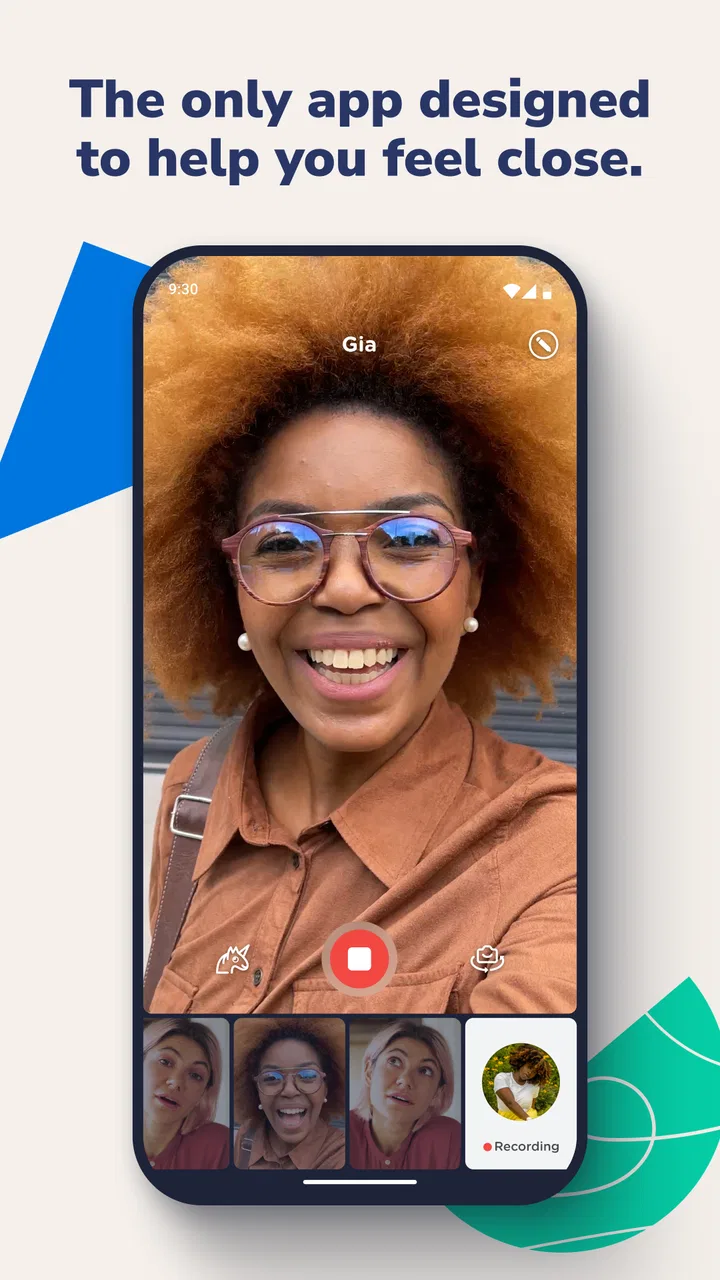
Marco Polo - Video Messenger is the kind of communication app that makes sense almost immediately: you record a video message, send it to someone, and let them watch when they have time. I found that simple rhythm more relaxed than a live call, especially when the people involved live in different time zones or have completely different daily schedules. It feels personal without demanding that both people stop what they are doing at the same moment.
That first impression is strong, but the more important question is whether it earns a permanent place on your phone after the novelty wears off. In my experience, the answer depends less on video quality or technical curiosity and more on whether your close relationships benefit from an ongoing visual conversation. If you want instant replies, group coordination, or a replacement for ordinary texting, this is not automatically the best fit. If you want a calmer way to stay present in someone’s life, it has a clearer purpose.
Why the first week feels unusually personal
The main appeal is the difference between a video message and a traditional text. A typed message can be efficient, but it often strips away tone, facial expression, and the small details that make a conversation feel like a real exchange. With Marco Polo, I can answer when I have a quiet moment, speak naturally, and leave the other person with something closer to my actual presence than a line of text.
You May Also Like

 Blood Strike: 2.5 Anniversary
Blood Strike’s Loadouts Turn Every Drop Into a Tactical Gamble
A close look at Blood Strike’s custom loadouts: how fast access to signature weapons reshapes its battle royale rhythm, rewards preparation, and narrows the gap between fights.

 Pandora - Music & Podcasts
Pandora’s Music Is Easy to Start, but Harder to Recover
Pandora’s strength is its low-effort path from a seed to a station. Its weak spot is how much confidence it asks you to place in connection, setup, and quiet recovery.

 8 Ball Pool
 Is Built on Rivalries, Rematches, and Routine
A close look at the rivalries, rematches, shared routines, and unanswered safety questions that turn a quick pool match into a persistent mobile community.

 Samsung Music
’s Quiet Strength Is Playing What You Already Own
Its reach comes less from spectacle than from dependable access to a personal library. That simplicity is both the app’s strongest retention engine and its ceiling.

 AccuWeather: Weather Radar
AccuWeather Review: A Quick, Clear Forecast for Everyday Decisions
For everyday plans, the best forecast is the one you can understand quickly. AccuWeather makes rain timing, radar, and local conditions easy to act on, with a few trade-offs.

 Hill Climb Racing
Why Hill Climb Racing Still Turns Crashes Into One More Run
A tiny car, a bumpy hill and one more upgrade: Hill Climb Racing keeps resurfacing because its simple chaos makes every near-miss feel personal.
More From Our News Desk



I especially liked the freedom from scheduling. A live video call asks two people to be available together, while this format lets each person contribute on their own timetable. That makes it useful for family members with work shifts, parents and adult children who live apart, or friends whose routines rarely overlap. It also removes some of the pressure of calling someone unexpectedly. The recipient can watch later, and I can record when I am ready rather than trying to sound coherent during a rushed call.
The app is free to download and use as a communication app, with optional in-app purchases ranging from $7.99 to $159.99 per item. That distinction matters: the basic idea is accessible, but anyone considering paid extras should look carefully at what those purchases add to their own routine rather than assuming they are necessary. I would begin with ordinary use and only consider spending money after the app has already become part of a real conversation habit.
Marco Polo comes from Joya Communications and has been available since July 10, 2014. That long presence helps explain why it feels more like a focused communication service than a short-lived novelty. Its current version is 0.562.0, and it supports devices running iOS or Android versions from 8.1 onward. The age rating is Everyone, which fits the straightforward nature of the product, although families should still decide for themselves how children should use any video-based communication tool.
A realistic everyday routine
Imagine a daughter leaving work late while her mother starts the day early. A normal call keeps missing the right moment, and a text exchange becomes a string of practical updates. With this app, the daughter can record a short message on her commute after arriving somewhere safe, while her mother can watch it with breakfast and respond later. The conversation can include a quick story, a reaction, or a glimpse of the day rather than just “I’m busy” and “talk later.”
That scenario shows the app’s strongest use case: relationships that need regular contact but do not need simultaneous contact. It is also useful for friends who want more warmth than texting but less commitment than arranging a call. I found the format particularly good for small updates that might not justify a full live conversation, such as showing a meal, sharing a view, or checking in after an important day.
The trade-off appears quickly too. Video messages require more attention from the recipient than a text notification. Someone may be happy to read a sentence while standing in a queue, but less willing to watch a recorded message in the same situation. The sender also has to decide what to say and how to present it. That extra effort is part of the charm, but it is also the first sign that this app works best when both people genuinely want a richer exchange.
Where it stands beside calls, texts, and live video apps
Compared with ordinary texting, Marco Polo feels warmer and more expressive, but it is slower to scan. Text wins when I need to send an address, confirm a time, or communicate something that should be searchable at a glance. I would not use a video message for a simple logistical detail unless the visual context actually matters.
Compared with a live video call, the app is less intrusive and easier to fit around real life. It avoids the awkward waiting period when one person is ready and the other is not. The downside is that it loses the spontaneous back-and-forth of a live conversation. A call can resolve a complicated question quickly; an asynchronous exchange may take several turns before both people understand each other.
Compared with social networks, the experience feels more directed toward people I already know. That can be a benefit for anyone tired of public feeds and constant performance. It can also feel limited if what you want is discovery, broad group discussion, or a large community. The app’s value is not in supplying an endless stream of content. It depends on whether the people you care about are willing to participate.
Its store rating is 4.6 from around 311 thousand ratings, and the app has more than 10 million installs. Those figures suggest that the format has found a substantial audience, but they do not settle the personal question of fit. A communication app can be widely used and still fail to become useful if your closest contacts prefer other channels.
What keeps it useful after the novelty fades
I find the best way to judge its lasting usefulness is to notice whether opening a message feels easy on an ordinary, busy day—not just when I have time to make a polished update. A small, predictable habit can help, but it should leave room for text or a call when those suit the moment better. That balance also makes the next question important: how comfortably can different people use the app in different situations?
Month-to-month value comes from a shared rhythm
After the first week, the excitement of sending video messages naturally decreases. That is not a flaw by itself; every communication tool becomes ordinary once its basic trick is familiar. The lasting value comes from whether the app helps two people maintain a pattern they would otherwise struggle to keep.
I would judge it by the quality of the relationship around it, not by how often I open it alone. If a friend responds consistently, the app can become a comfortable visual diary shared between two people. If only one person keeps recording and the other rarely watches, the experience turns into extra work. The app cannot create mutual interest, and no interface can compensate for a one-sided habit.
One useful approach is to give the conversation a light recurring purpose. Families might use it for weekly updates, while long-distance friends could share one meaningful moment from the day instead of trying to produce a complete life report. That boundary prevents the exchange from becoming an obligation. Short, honest messages are more sustainable than treating every recording like a carefully prepared video.
I also found that the asynchronous design changes the emotional quality of replies. A live call encourages immediate reactions, while a recorded response gives the speaker time to think. That can make difficult or sensitive conversations gentler, but it can also remove useful spontaneity. If a misunderstanding appears, the delay may allow irritation to grow before anyone clarifies it. For emotionally complicated topics, I would switch to a live conversation rather than forcing the app to handle something it was not designed to solve.
Small habits that make the format work better
The most practical habit is to record with the recipient’s attention in mind. A message that has one clear point is easier to watch than a long, unfocused update. I would start by saying what the message is about, then finish without adding several unrelated subjects. This is not about sounding formal; it is about respecting the fact that video takes more time to consume than a sentence.
Another useful habit is to avoid making every message a request for an immediate answer. The appeal of asynchronous communication disappears if each recording creates pressure to respond at once. I prefer treating it as an open door: the other person can answer when ready, and the conversation remains available without becoming a task list.
For families, it can help to agree on when video messages are welcome and when text is better. A child may enjoy showing a project or telling a story, while a parent may still need text for a quick pickup arrangement. Using each format for what it does best keeps Marco Polo from becoming a forced replacement for every other channel.
A less obvious trade-off is that video preserves more social detail than text. That is usually the point, but it means the sender may feel more exposed. On a tired day, I might be comfortable typing a quick update but not appearing on camera. If that happens often, the app can start to feel like a performance rather than a relaxed conversation. The healthiest routine leaves room for imperfect recordings and does not turn appearance into a requirement.
The maintenance burden is modest, but not zero
There is no complicated setup burden in the basic concept, yet maintaining the app involves more than installing it once. I would need to keep the conversation active, remember to check for replies, and make sure the people I want to reach are using the same service. Those are small tasks individually, but communication habits fail when they depend on too much remembering.
The app is easiest to maintain when it replaces an existing pattern instead of adding a new one. If I already send regular updates to a sibling, moving those updates into video can feel natural. If I rarely contact someone, installing the app will not magically create a relationship routine. In that case, a normal message may be more effective because it asks less of both people.
Storage and attention are practical considerations as a conversation grows. Video naturally carries more information than text, and a long-running exchange can become harder to navigate mentally. I would avoid treating every recording as something that must be preserved forever. Keeping the conversation focused on current contact rather than building an archive makes the service feel lighter over time.
Paid options deserve the same practical judgment. The available purchase range is broad, so I would not recommend subscribing or buying extras simply because the app becomes familiar. First decide whether the free experience is solving a real communication problem. If it is not, spending more will not fix the lack of participation. If it is, then a paid feature should be evaluated by whether it reduces friction or adds meaningful value to the way you already communicate.
Where fatigue begins
The biggest source of fatigue is the expectation to be visually present. Text allows quick, private, low-effort contact. Video asks for voice, expression, and a little preparation, even when the recording is casual. People who dislike being on camera, have limited privacy, or prefer concise written communication may find the format tiring after the early novelty fades.
There is also a risk of conversational imbalance. One person may send thoughtful updates while the other replies with very short clips, not because they do not care, but because their communication style is different. Over time, that mismatch can make the active participant feel ignored. Before adopting the app as the main channel for a relationship, I would check whether both people actually enjoy responding in this way.
The app is not my first choice for urgent matters. A delayed video response is fine for a personal update, but it is unsuitable when timing matters. It is also not the strongest option for coordinating several people around a changing plan, where a group chat or live call can be clearer. The same feature that removes scheduling pressure can create uncertainty when everyone needs an answer now.
Another fatigue point is emotional intensity. Seeing someone’s face can make a message feel more meaningful, but it can also make ordinary contact feel heavier than intended. A short text may be enough for a routine check-in, while a video message can accidentally suggest that the subject deserves a deeper response. I would use the app selectively rather than measuring affection by the number of videos exchanged.
Who should use it, and who should skip it?
I would recommend Marco Polo to close friends and relatives who want regular contact but cannot reliably share a schedule. It is especially suitable for people who value voice and facial expression, dislike unexpected live calls, and are willing to build a two-way habit. It can also work well for long-distance relationships where a written message feels too flat but a full video call feels too demanding.
I would steer away from it if your main need is fast information exchange, searchable written records, large-group planning, or immediate problem-solving. In those situations, texting, a conventional messenger, or a live meeting tool is likely to be more efficient. I would also skip it if the people you want to contact are unlikely to install or regularly open another communication app. A technically appealing channel is still useless when the conversation remains empty.
Privacy and comfort should be part of the decision too. Anyone who feels uneasy recording their face or voice should not be pressured by the app’s central format. The Everyone rating describes the broad age suitability, but responsible use still means choosing contacts carefully and setting family expectations around video communication.
My long-term verdict
Marco Polo earns lasting space when it becomes a gentle replacement for missed calls, not when it is treated as a universal messenger. Its strongest idea is simple but meaningful: people can stay visually connected without negotiating a shared appointment every time. That solves a real problem for relationships separated by distance, schedules, or different energy levels.
For me, the deciding test is whether the app creates a sustainable rhythm after the first-week curiosity disappears. If I can send a short update without pressure, receive a thoughtful response later, and keep the exchange mutual, the app offers something ordinary texting does not. If the conversation becomes a duty, the visual format starts to work against itself.
Joya Communications has built a focused communication experience rather than an all-purpose replacement for every messaging tool. I appreciate that focus, even though it means accepting clear limits. The free entry point makes it reasonable to try with one trusted person, while the optional purchases mean I would keep an eye on whether any paid choice genuinely improves my routine.
My recommendation is therefore specific: try it with someone who already wants a warmer, slower conversation and agree on a relaxed pattern before expecting it to become a habit. Give it time beyond the initial novelty, but do not force it into urgent chats or one-sided relationships. Its lasting strength is not that it makes every conversation better; it is that it makes certain long-distance conversations easier to keep alive. For the right pair of users, that is enough reason to keep it installed.
FAQs for Marco Polo - Video Messenger
01What is Marco Polo and how does it work?
Marco Polo is a video messaging app that allows users to send video messages to friends and family. Unlike traditional video calls, Marco Polo doesn’t require both parties to be online simultaneously. Users can record a video message and send it, which the recipient can view at their convenience, making it perfect for busy schedules.
02Is Marco Polo free to use?
Marco Polo offers a free version with basic features, allowing users to send and receive unlimited video messages. However, there is also a premium version, Marco Polo Plus, which includes additional features like video reactions, custom emojis, and more. The premium version is available via a subscription model.
03How secure is Marco Polo in terms of privacy?
Marco Polo prioritizes user privacy and security. Videos are stored on secure servers and are not publicly accessible. The app does not sell user data or show ads, making it a private space for communication. It also includes options to manage privacy settings, such as blocking users or setting passcodes for extra protection.
04Can Marco Polo be used on both Android and iOS devices?
Yes, Marco Polo is available for both Android and iOS devices. Users can download the app from the Google Play Store or Apple App Store. The app supports cross-platform communication, allowing users on different operating systems to send and receive messages seamlessly.
05Does Marco Polo use a lot of data?
Marco Polo is designed to be data-efficient. Video messages are compressed to reduce data usage, but it’s a good idea to use Wi-Fi when possible to save on mobile data. The app also offers a data-saving mode that can further reduce data consumption during video messaging.
Pros
- Easy to use interface for all ages.
- No need for scheduling calls.
- Messages can be saved indefinitely.
- Variety of fun filters and effects.
- Videos are stored in the cloud.
Cons
- Requires constant internet connection.
- Limited features in free version.
- No direct voice or video calls.
- Can drain battery quickly.
- Privacy concerns with data storage.

Marco Polo - Video Messenger
Gallery